The first ten minutes
Two of these three steps happen automatically the first time you sign in. The third is the one worth slowing down for.
1. Take the test
About three minutes of yes / no answers: do you know this word? It adapts as you go and usually stops around 25 words in.
Answer honestly. Roughly one word in five is invented — that’s how the test catches over-claiming, so “it looks familiar” is a no.
2. Add a book
Upload your own EPUB, PDF, or text file (up to 5 MB), paste a direct link to a .pdf or .txt, or add a classic from the built-in library in one tap.
Set the language. It’s the one field with no default, on purpose — see below.
3. Wait a minute
Tilia reads the whole book before you do: every word looked up, inflections resolved, everything below your level thrown away. A long book takes a minute or two, then the deck is waiting.
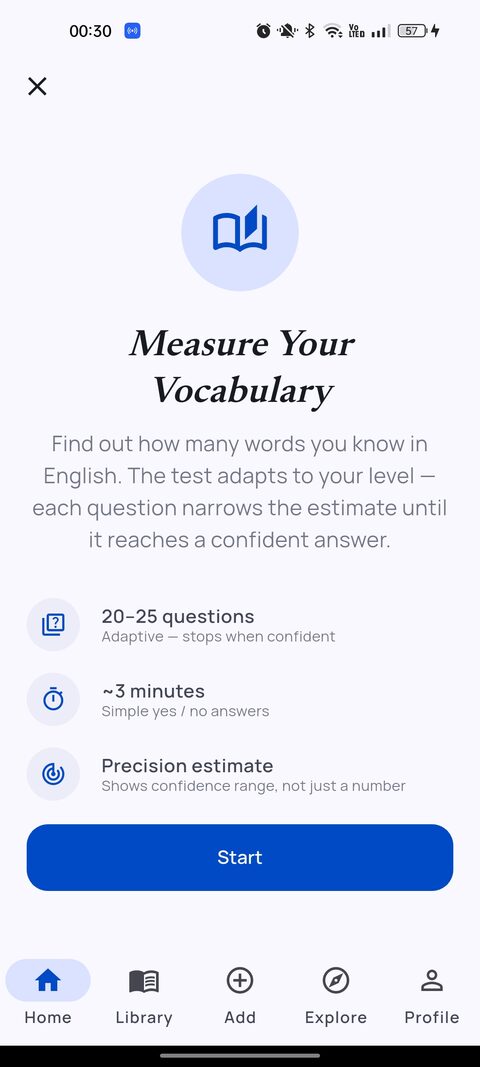
It decides what a book bothers you with.
Your estimate isn’t a score on a profile. It’s the filter: every book is compared against it, and only the words above your level become cards.
Skip it and you get everything
No estimate means no filter, so a book hands you its whole vocabulary — including hundreds of words you’ve known since you were nine.
Retake it whenever
From your profile. If your deck feels too easy or too brutal, that’s the dial — and the estimate is kept per language, so an English number never overwrites a Turkish one.
Curious before you install anything? The same test runs in your browser — no sign-up.
Adding books, in detail
The language field is required and is never pre-filled. It chooses the dictionary every word in the book is looked up against, so getting it wrong is the one mistake that fails quietly: the book processes “successfully”, finishes with zero words, and produces no flashcards at all. Tilia currently reads English and Turkish books.
Where books come from. Three routes, all equal once the book is in:
- Upload — EPUB, PDF or plain text from your phone, up to 5 MB. That limit is about text: the EPUBs that bust it are picture books, and Tilia never renders the pictures.
- Import from URL — must be a direct link to the file (
.pdfor.txt). A link to a web page about a book will be refused rather than turned into a book full of menus and cookie banners. EPUBs have to come through the file picker. - Explore — a curated public-domain library, plus whatever other readers have shared. Filter it by language and document type; adding is one tap.
DRM’d books can’t be opened by Tilia or any other app that isn’t the store you bought them from. That’s a licence lock, not a bug in your file.
Reading
The part where you just read. Everything here is optional — the deck fills up whether or not you touch a thing.
Long-press to define
Any word, any page: the definition comes up without leaving the book, and the word joins that book’s deck at the same time. An explicit tap always wins over the level filter — asking what a word means is proof you don’t know it.
Highlight and annotate
Select a passage to highlight it, add a private note, or share it as a card image. Notes stay yours; sharing sends the passage, never the note.
It keeps your place
Position is saved to your account, so another device continues where you stopped. Finished something you want to run again? Start over in Book Settings resets progress and keeps every word it taught you.
A couple of minutes a day.
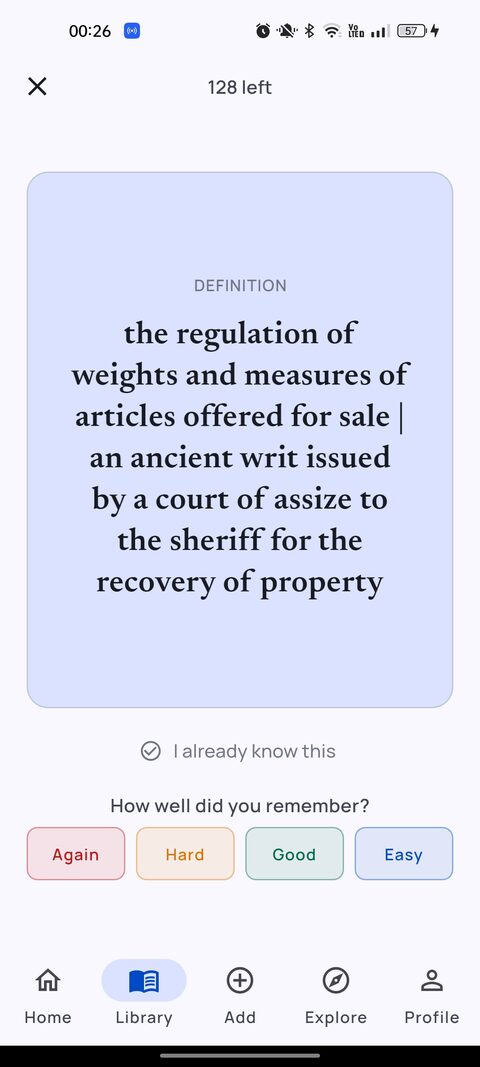
Cards are made for you while the book processes; you never build a deck by hand. Review from the home screen for everything due, or from a book for just that book’s words.
- Rate honestly. A word you get right waits longer before returning; a word you miss comes back soon. That schedule is the whole mechanism — flattering it only costs you the word.
- “I already knew this.” Dismiss the card and it stops coming back, and still counts as a word you know.
- Quizzes are multiple-choice rounds drawn from one book — a faster way through a backlog than card-by-card.
- Words graduate after three correct reviews and a three-week gap. Graduating is the goal: the app’s job is to stop showing you a word.
What the numbers mean
Three different figures, easy to mix up.
Your estimate
Roughly how many words you know, from the test. A measurement, and the filter behind every deck. Per language.
Your level
Seedling to Ancient Linden. Points for study, not for reading: one per word in progress, three per word mastered. Each level costs more than the last, and it counts every language together.
Your daily goal
Words read per day, with a streak behind it. Change the target — or turn on an evening reminder — in Settings.
Read it with someone.
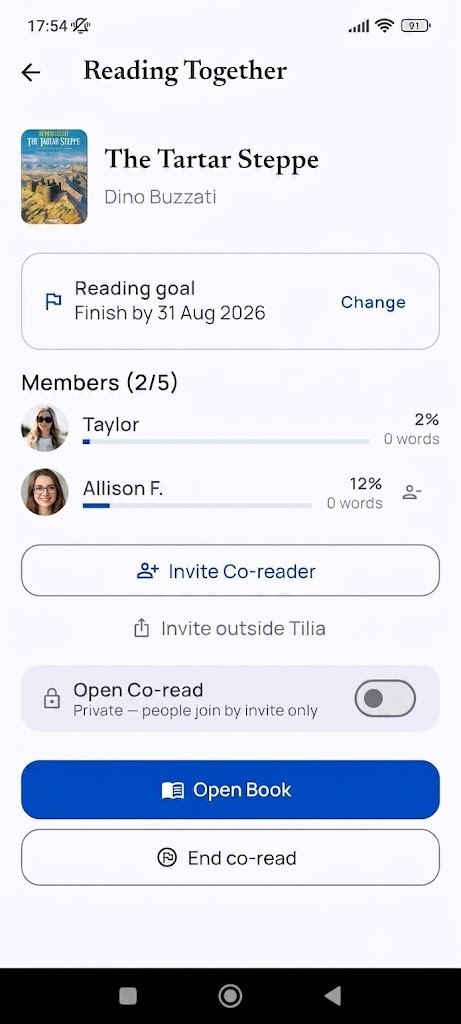
Open a book, start a co-read, set a finish date, and invite people — by link, or straight to a friend in the app. Everyone reads the same pages and builds their own deck from them.
Joining is always free
A book you’re invited into is a loan: it doesn’t take one of your two library slots while the co-read runs.
Highlights become a conversation
Share a passage into the room and reply underneath it — in the pages, not in a group chat. The host can take a highlight out of the room; it stays in its owner’s library.
No friends on Tilia yet?
Explore lists open co-reads anyone can join, filtered to the language you’re browsing in.
When a co-read ends, the feed stays readable and your flashcards are untouched. If your library is full, the shared copy turns read-only rather than disappearing — make room or upgrade and it unlocks itself.
Three settings worth checking on day one
Target language
The language you’re learning. Your main deck only shows cards in it, so that a session never jumps between languages mid-review — if you read in two, switch here to switch decks. Nothing is deleted by switching: the other deck comes back exactly as it was, schedules included.
Daily goal and reminder
Pick a target you can hit on a bad day — the streak is worth more than the number. The optional reminder is a single evening push, and only if you haven’t already hit the goal.
Native languages
Only used as the starting guess for the vocabulary test. It doesn’t change the dictionary, your deck, or anything you read.
The free plan, precisely
Two books in your library at a time, and one co-read you host. Everything else — the reader, the dictionary, tap-to-define, unlimited flashcards and quizzes from those books, the full vocabulary test, highlights, streaks, and joining as many co-reads as you like — is free and stays free.
At two books, remove one to free the slot. Removing a book takes its cards out of your deck, but the words you already learned stay learned, and the cards come back with their schedule intact if you add the book again. Pro lifts both limits.
When something looks wrong
The book processed, but I have no flashcards.
Almost always the language field: if the book was tagged with a language it isn’t written in, nothing matches the dictionary and you get zero words. Remove the book, add it again with the right language. The other possibility is that your estimate is too high — retake the test.
A word I don’t know isn’t in my deck.
The filter thinks you know it. Long-press it in the reader and define it — an explicit tap always adds the card, whatever the estimate says.
My deck went empty.
Check the target language in Settings: the main deck is scoped to it. Switching back restores everything, untouched. A book’s own deck is never scoped this way — open the book and review from there.
The card shows a different form of the word I tapped.
Deliberate. Inflections resolve to the dictionary headword, so tapping “beguiled” studies beguile and you never hold four cards for one word. The example sentence is still the one you met it in.
A book says it’s locked.
Either a co-read it came from has ended, or a Pro subscription lapsed and the library is back over the free limit. Nothing is deleted: remove another book or upgrade, and it unlocks itself.
My import was refused.
URL import needs a direct link to a .pdf or .txt file, not a page about the book. EPUBs go through the file picker. And a file over 5 MB or under DRM is refused outright.
Anything else — email newtonianianlabs@gmail.com with what you were doing and the book title, and a person answers. More answers on the support page.